


Private Collection #13 - Class 14
- Feb 26
- 1 min read
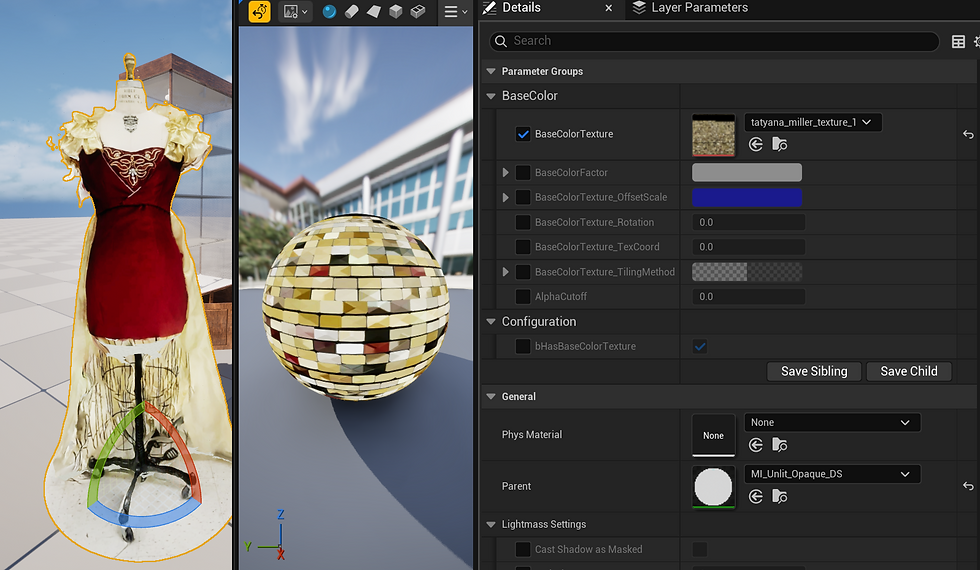
Today I wanted to talk about the emissive texture import issue. In the first image you can see the that the model does not receive any shadows and gives off a bright, over exposed look to the texture. It looks out of place and poor quality. After some troubleshooting, I've discovered it is the fault of the parent material in the engine settings. If I change the parent material from "MI_Unlit_Opaque_DS" to ""MI_Default_Opaque_DS" it turns that emissive glow to the texture and it returns to normal. Sometimes it also gets rid of the other maps such as Roughness and Normal, so I will duplicate an existing working material from another asset and then replace the textures with the new asset. I had to do this many times over with the imported insects from the Yale Peabody Museum catalogue.

Comments